Substructure Search
Introduction
In the process of compound optimization, or when adopting fragment-based drug design (Fragment Based Drug Design, FBDD) strategy, it is often necessary to constantly change the structure of other parts of the compound while maintaining the structure of some parts of the compound. In order to continuously optimize the druggability of molecules while maintaining the core structure (key interaction) of the compound.
The Substructure Search module of the Hermite platform provides a molecular search function based on the SMARTS representation of compound fragments. With the massive virtual compound library built into the Hermite platform, you can quickly search for molecules containing the same molecular fragments in a relatively large chemical space.
Pyridine is a common ring structure in drug molecules. This tutorial is based on the Substructure Search module of the Hermite platform to search the Maybridge database for molecules containing this substructure.
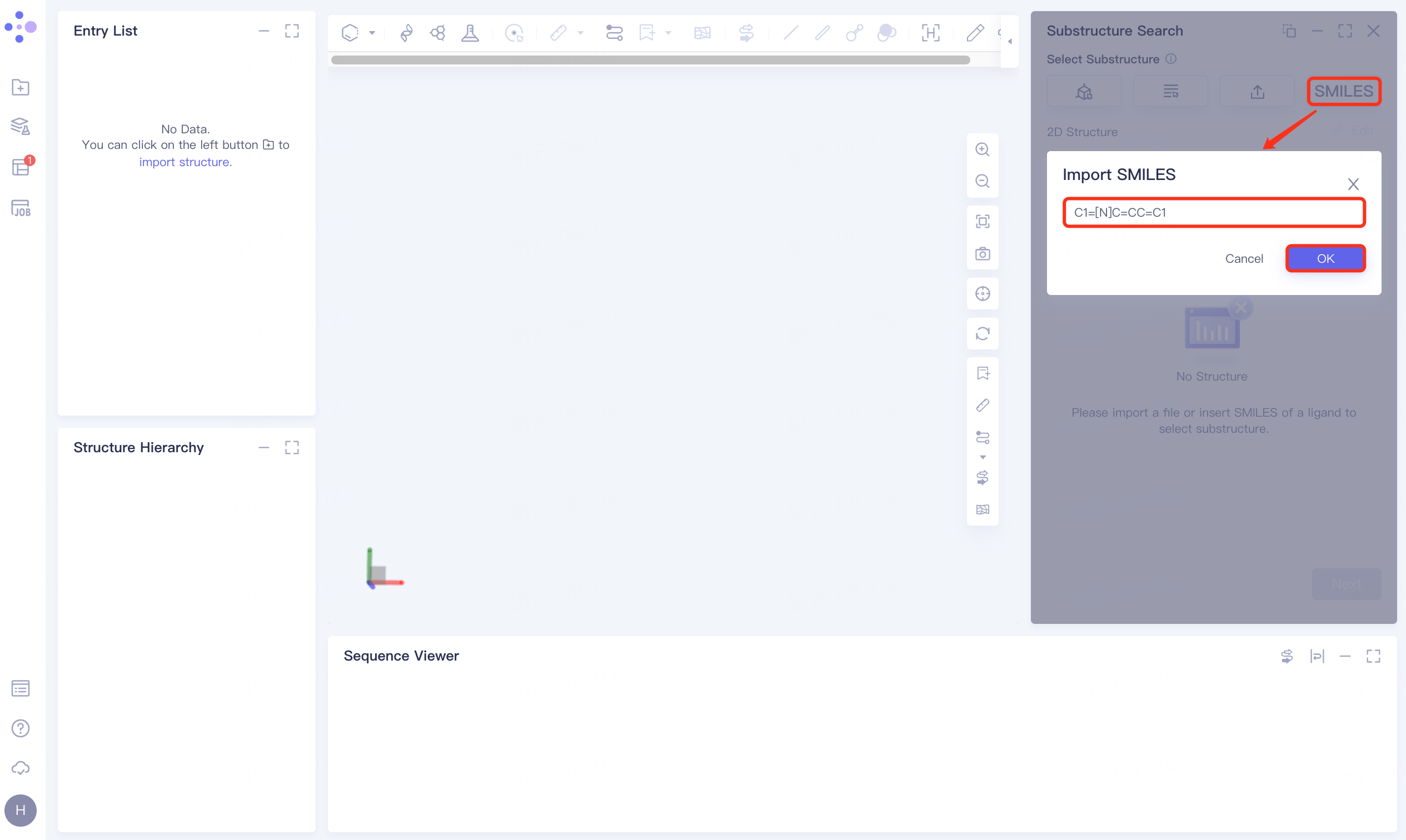
Molecule used in this tutorial: C1=[N]C=CC=C1
1. Usage
1.1 Entrance
Left Common Menu Bar Function → Molecules Recommendation → Substructure Search
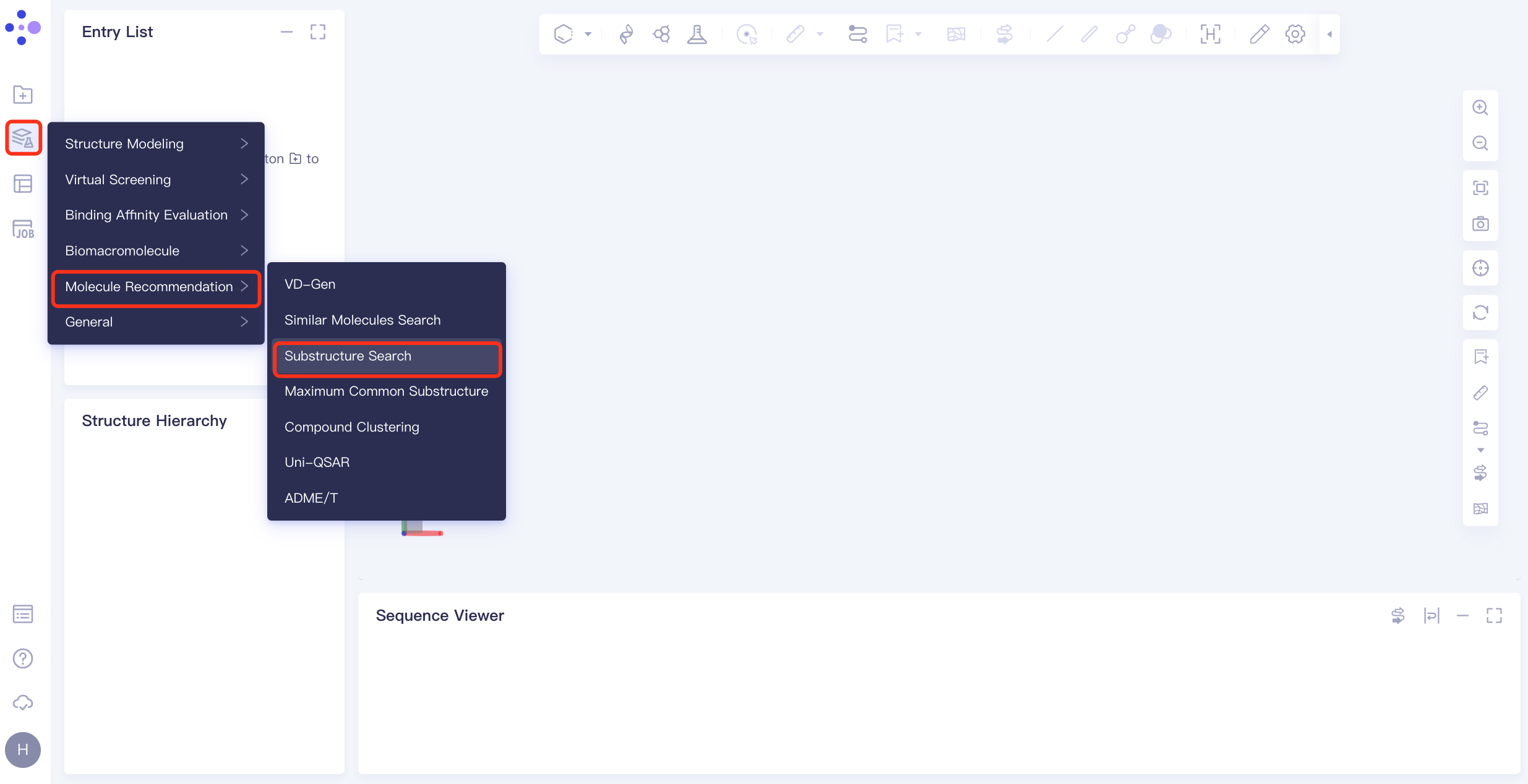
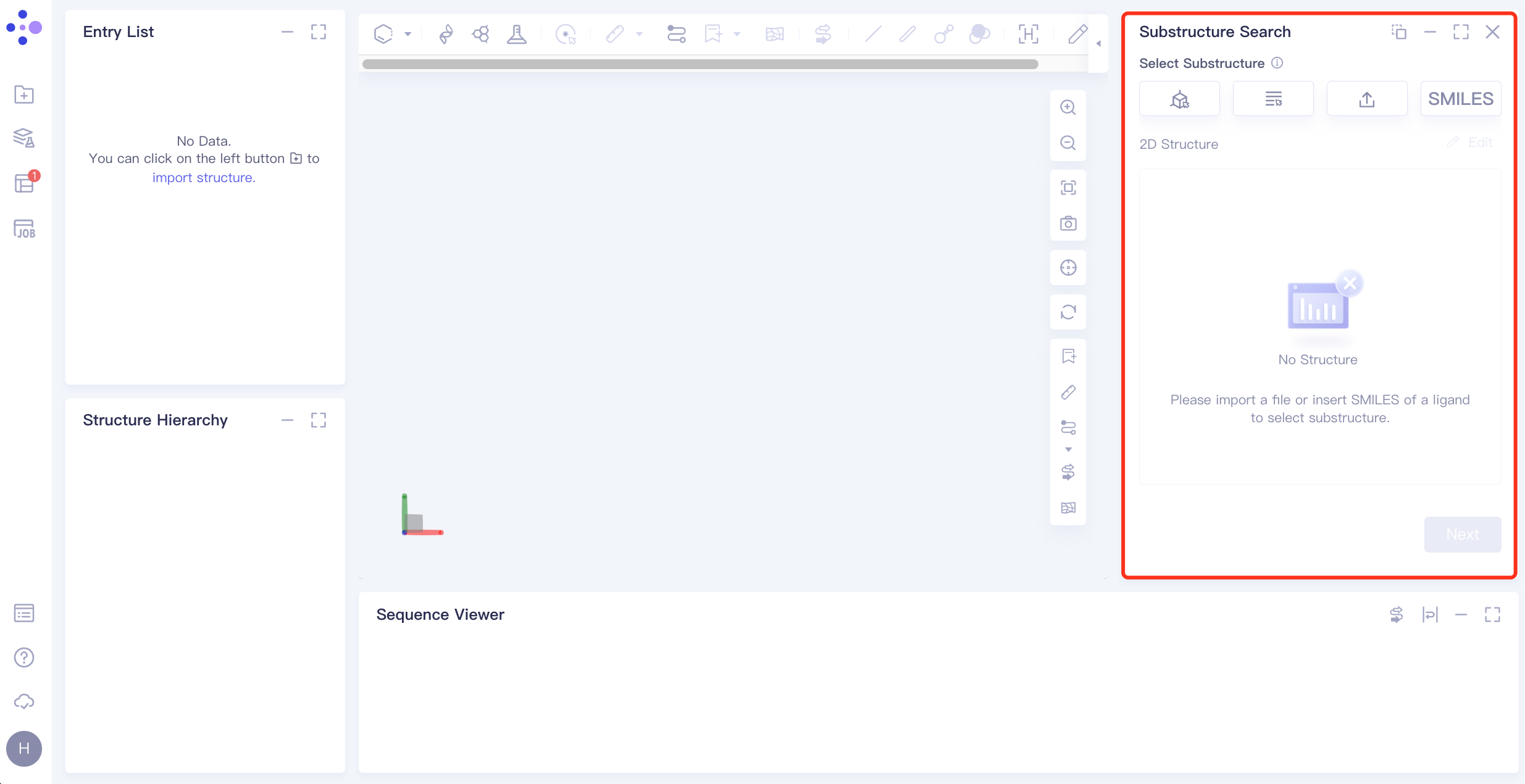
The operation box of Substructure Search (shown in the red box) appears on the right. The overall interface is as follows:
1.2 Upload ligand structure
Click Select from SMILES checkbox → Import SMILES interface pops up → Enter molecule → Click OK.
1.3 Select a substructure
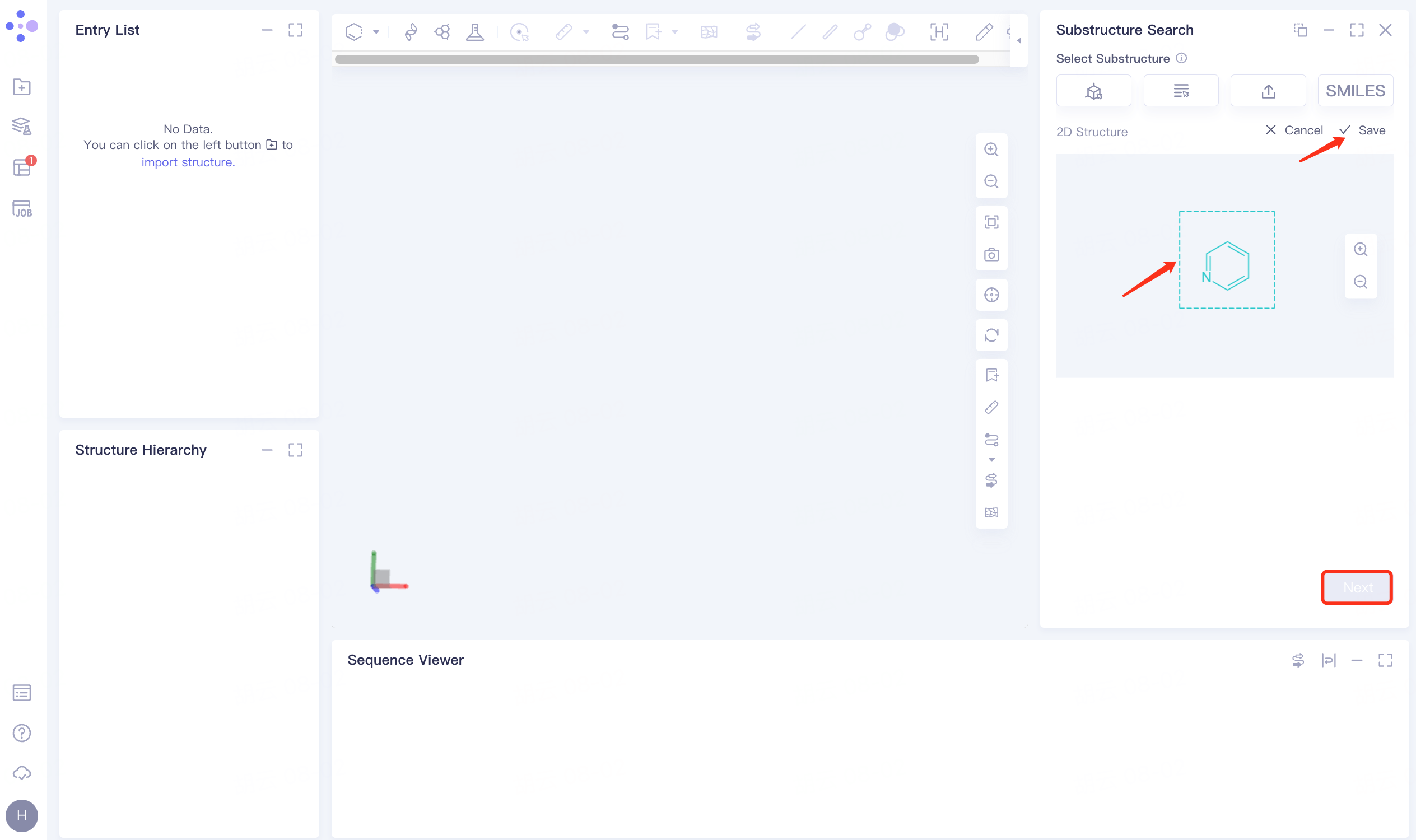
After importing the ligand structure, the ligand structure is displayed on the 2D Structure interface on the right, and the substructure pyridine is selected and displayed in green. After clicking Save, click Next.
1.4 Select dataset
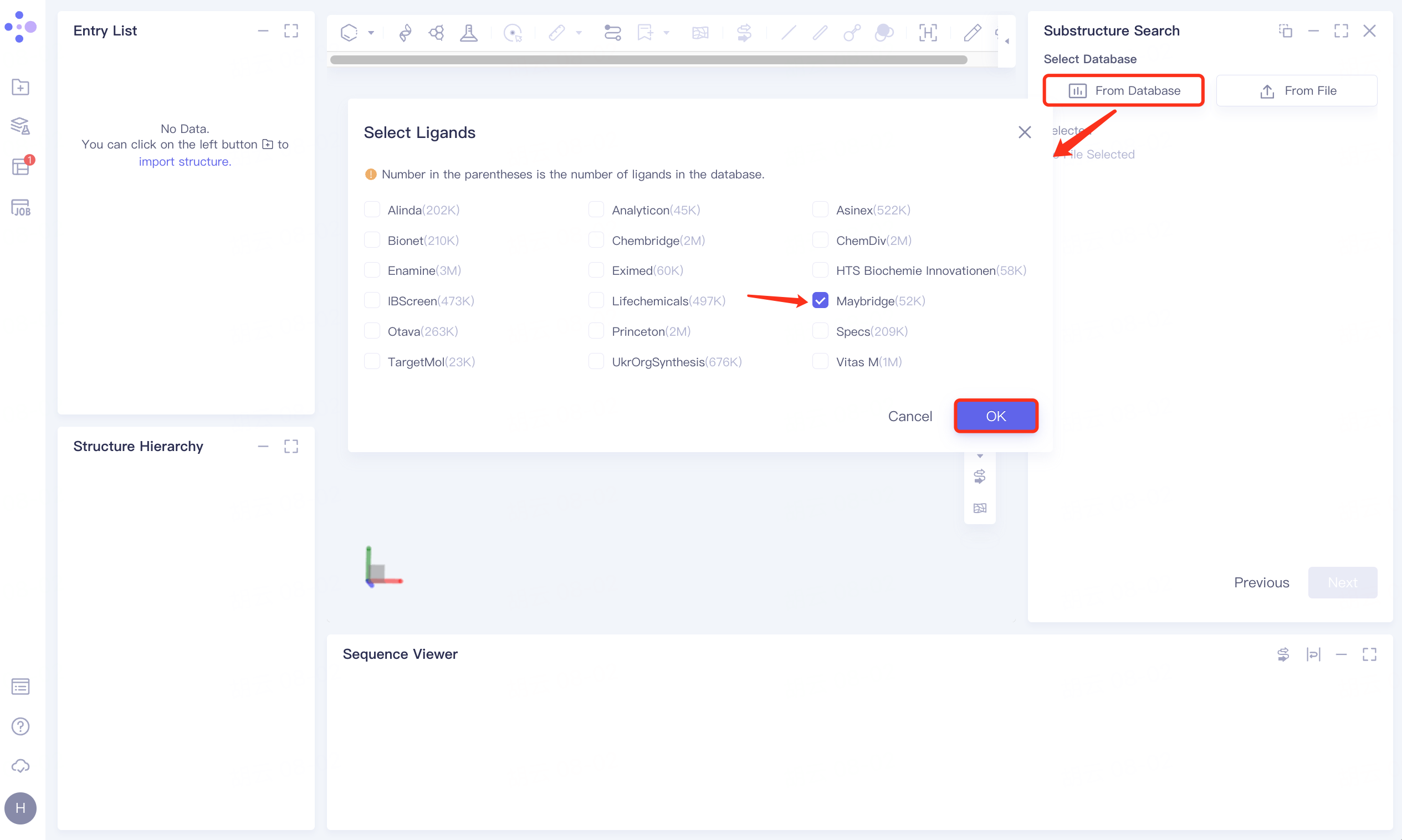
Click the From Database checkbox → pop-up Select Ligands interface → select the desired molecular database (optional) → click OK.
1.5 Settings
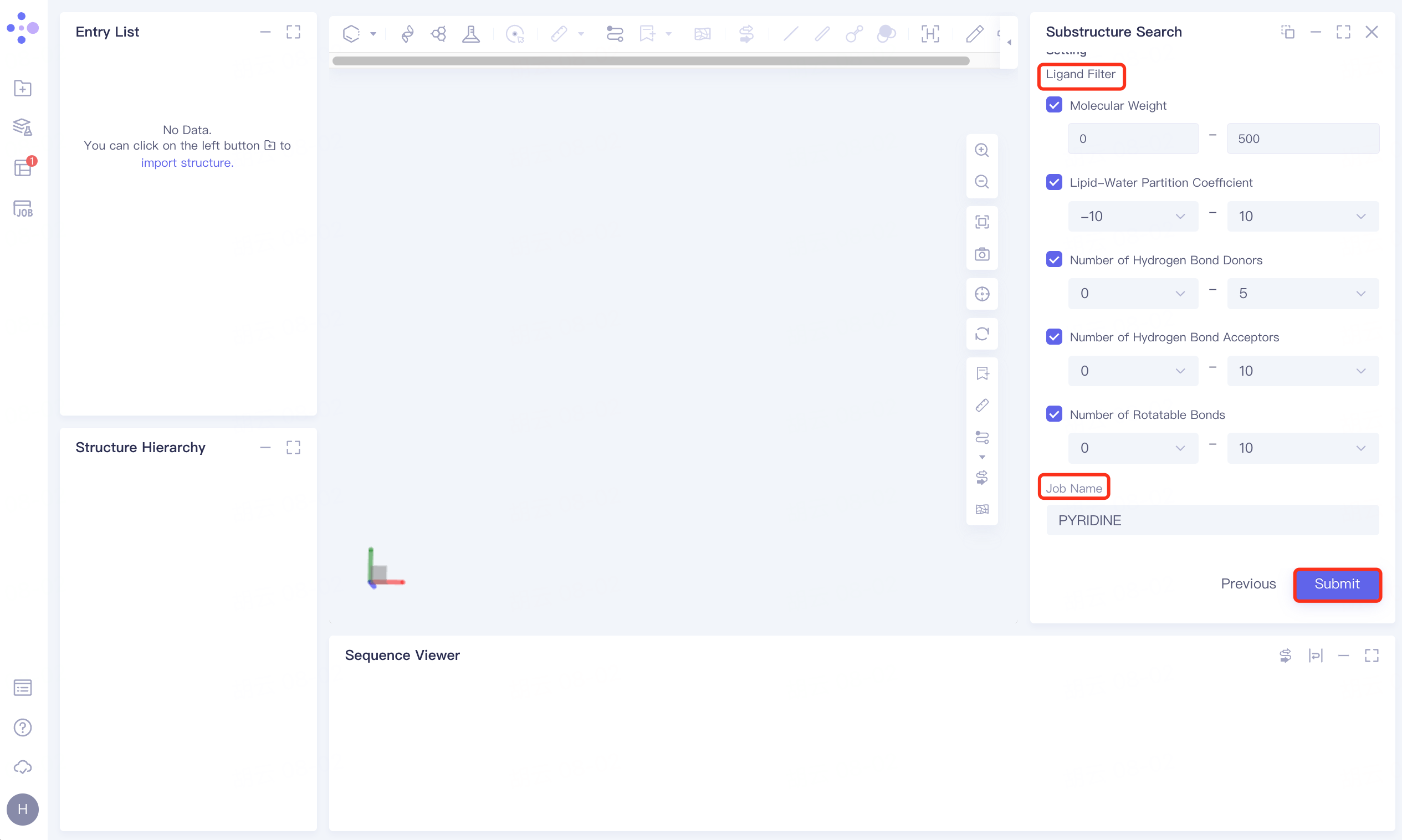
Check the filter conditions under Ligand Filter, the parameters are the default parameters;
Name the task PYRIDINE at the Job Name;
Click Submite to submit a task.
2. Results analysis
2.1 Entrance
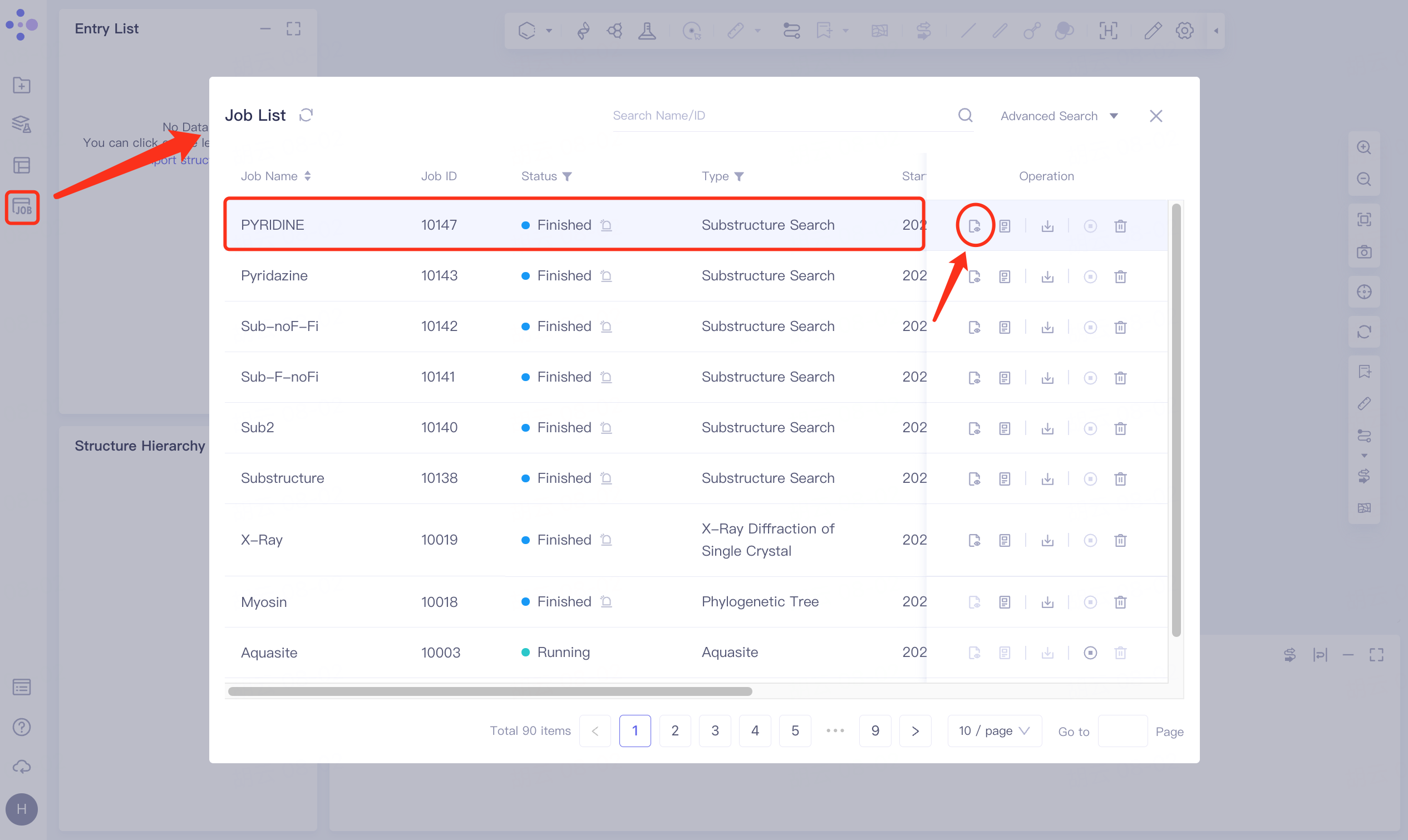
Menu Job → Find the task VD Gen_Opt → Click Show in the Operation column to view the result of the task.
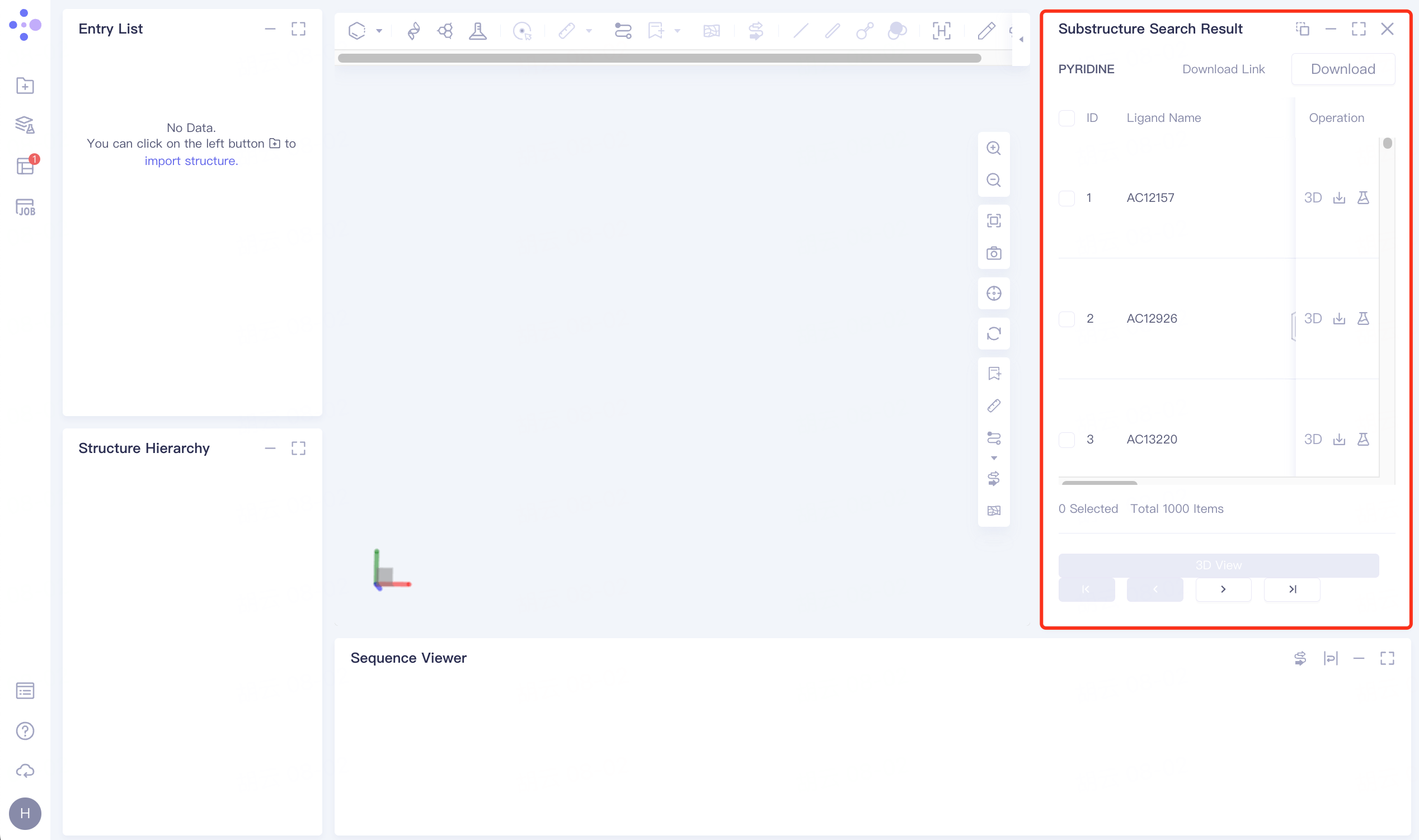
The display interface is shown on the right.
 |  |
2.2 Results display and download
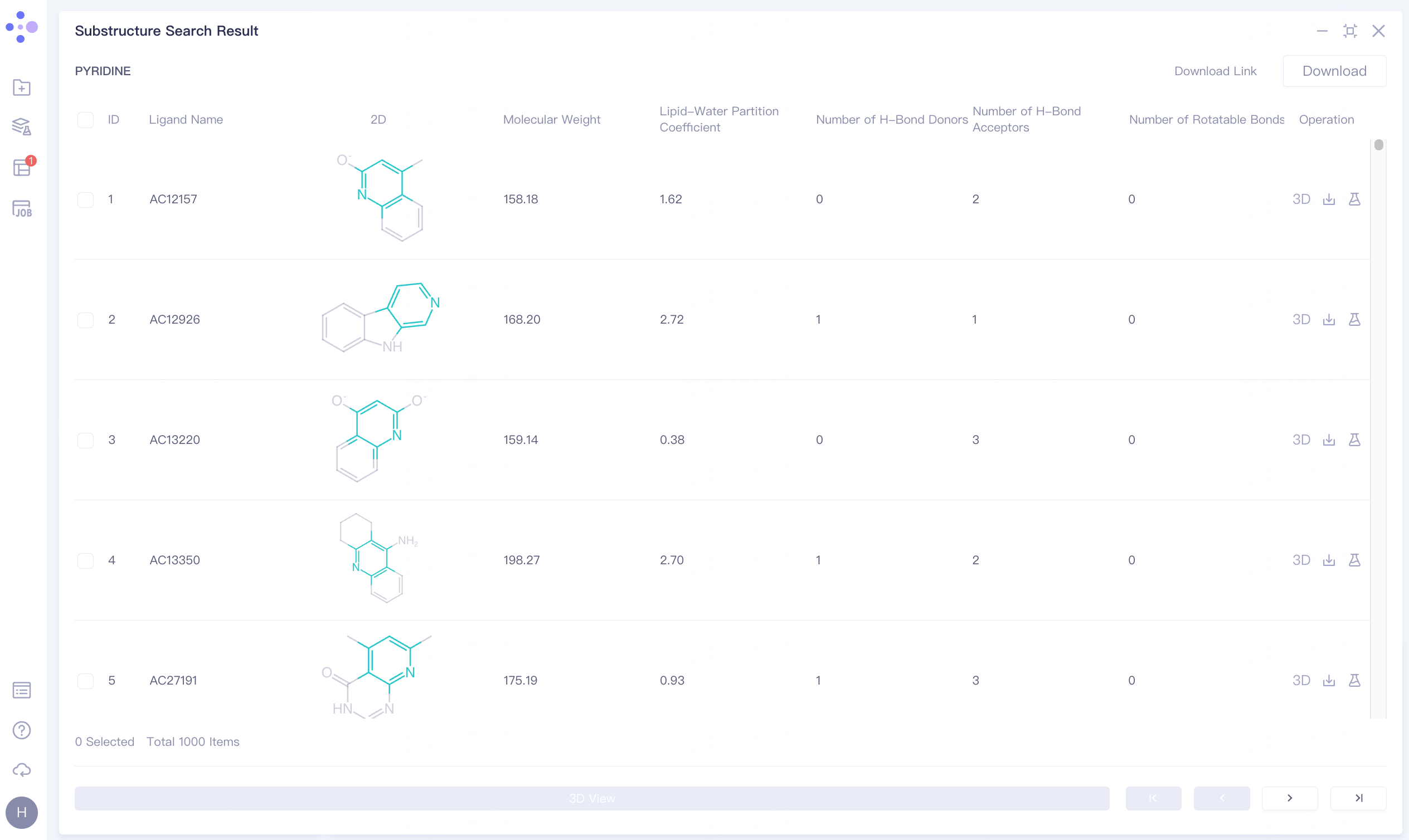
A total of 1000 molecules containing pyridine rings were screened.
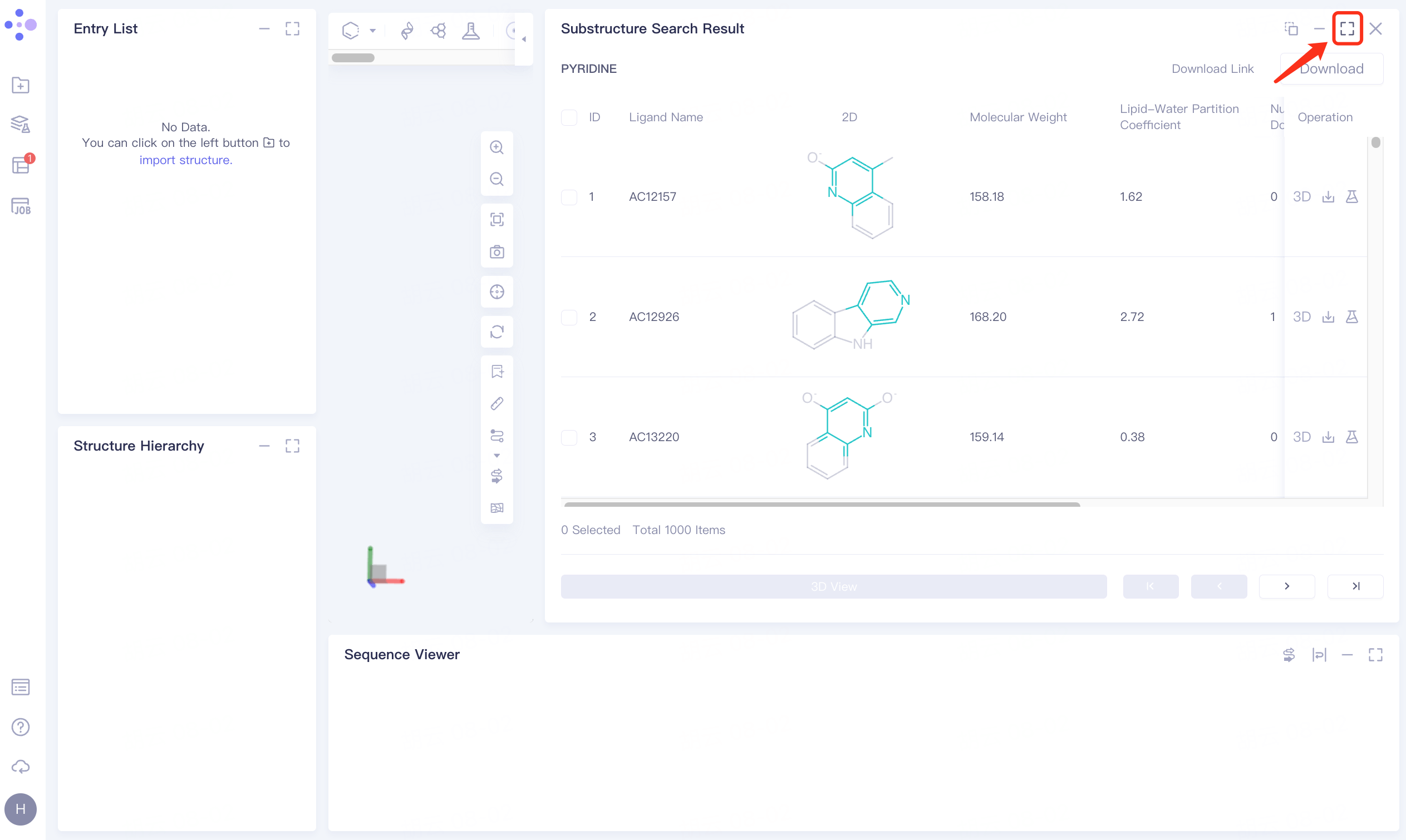
Click the symbol in the upper right corner to expand the result list and check the result information:
Ligand Name: Molecular name;
2D: Two-dimensional image of molecules;
Molecular Weight: Molecular weight;
Lipid-Water Partition Coefficient: Lipid-Water Partition Coefficient;
Number of H-Bond Donors: Determine the number of hydrogen bond donors;
Number of H-Bond Acceptors: Determine the number of H-Bond Acceptors;
Number of Rotatable Bonds: Determines the number of rotatable Bonds.
 |  |
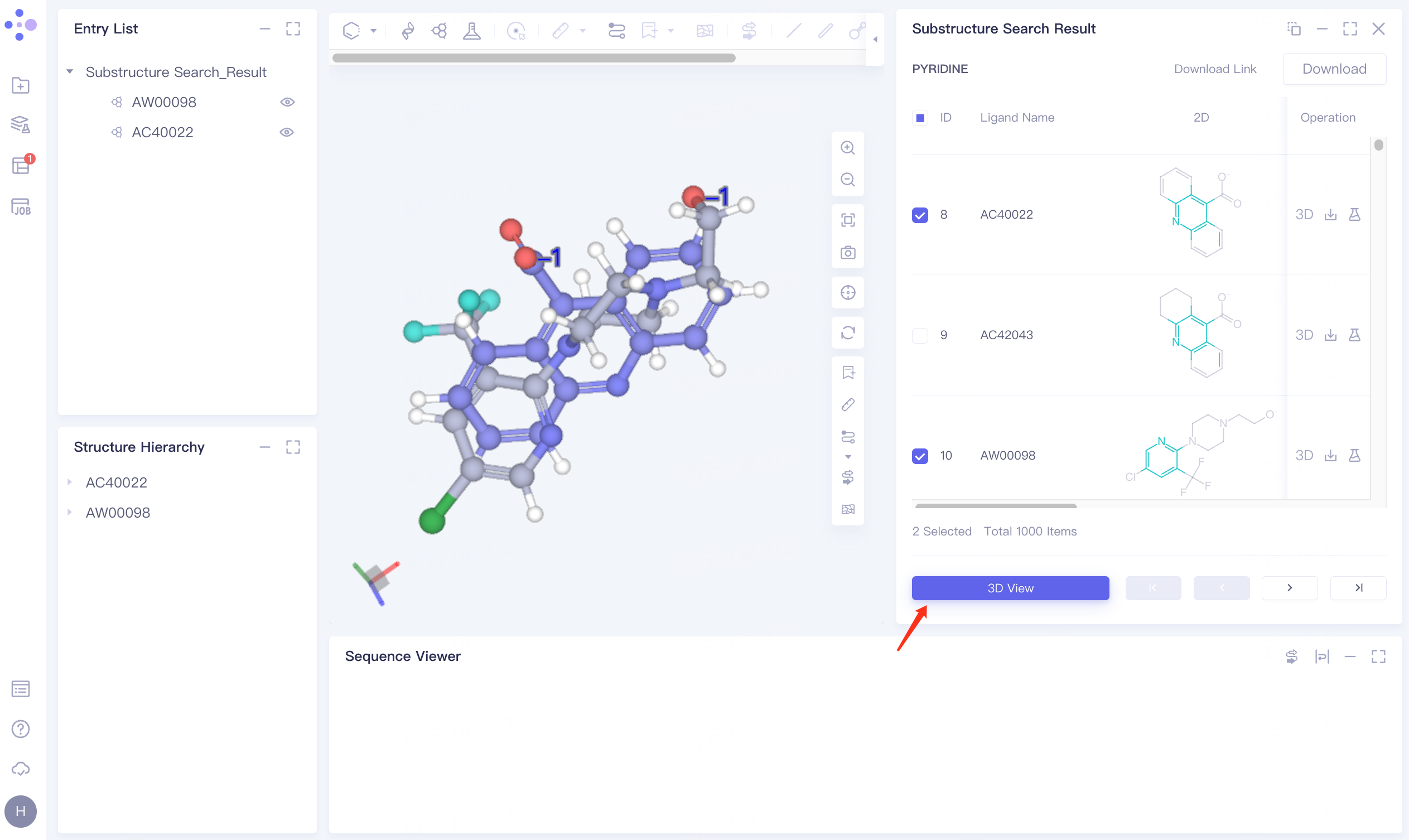
Display and download the required molecules based on the searched molecular structure and property information:
Check the checkbox in front of AC40022 and AW00098, click 3D View below, and the molecule is displayed in the 3D Workspace window.
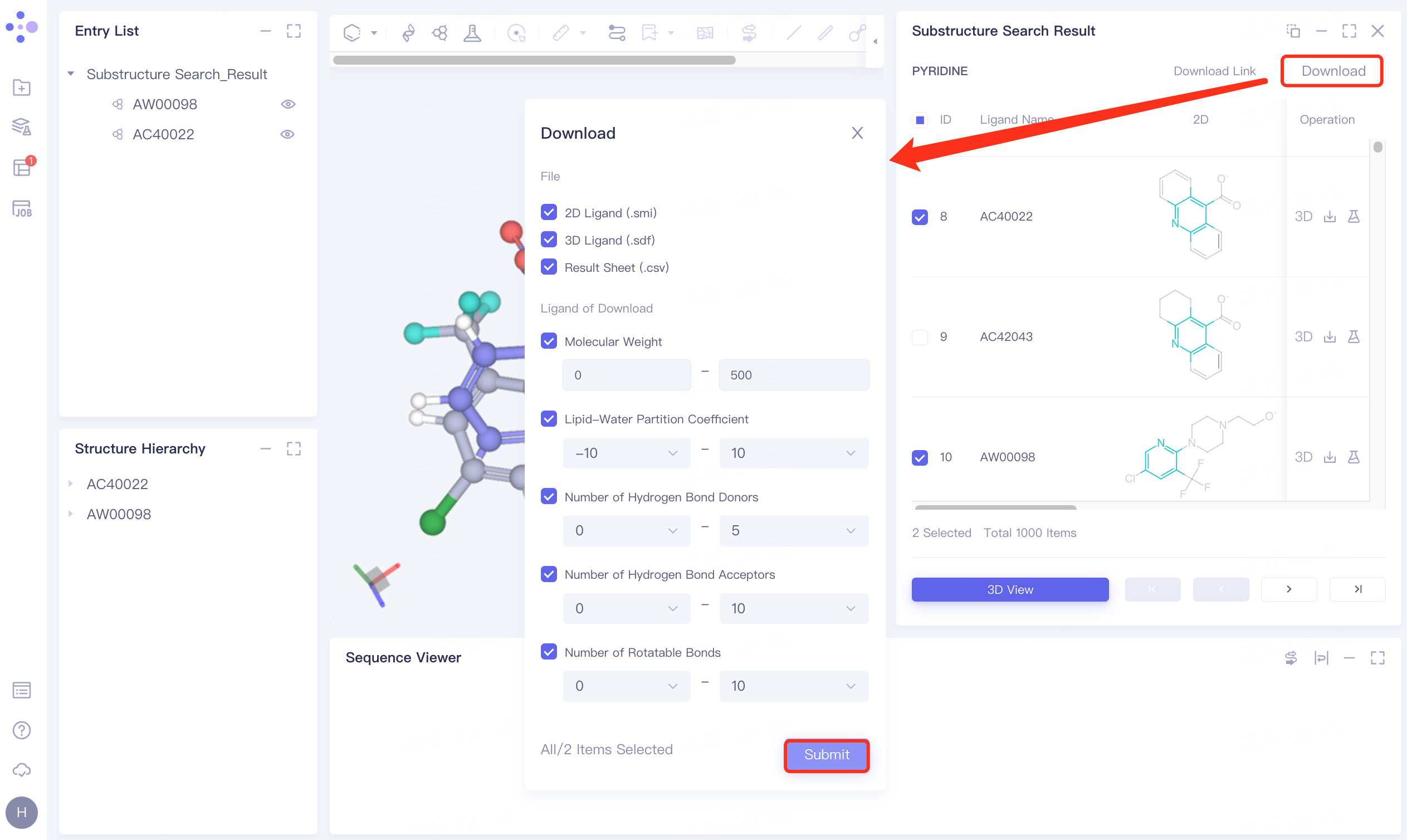
Click Download → pop-up Download interface in the upper right corner, select Filter information → click Submit.
The Download Link window flashes, and the gray part on the left prompts "Link is preparing", click OK.
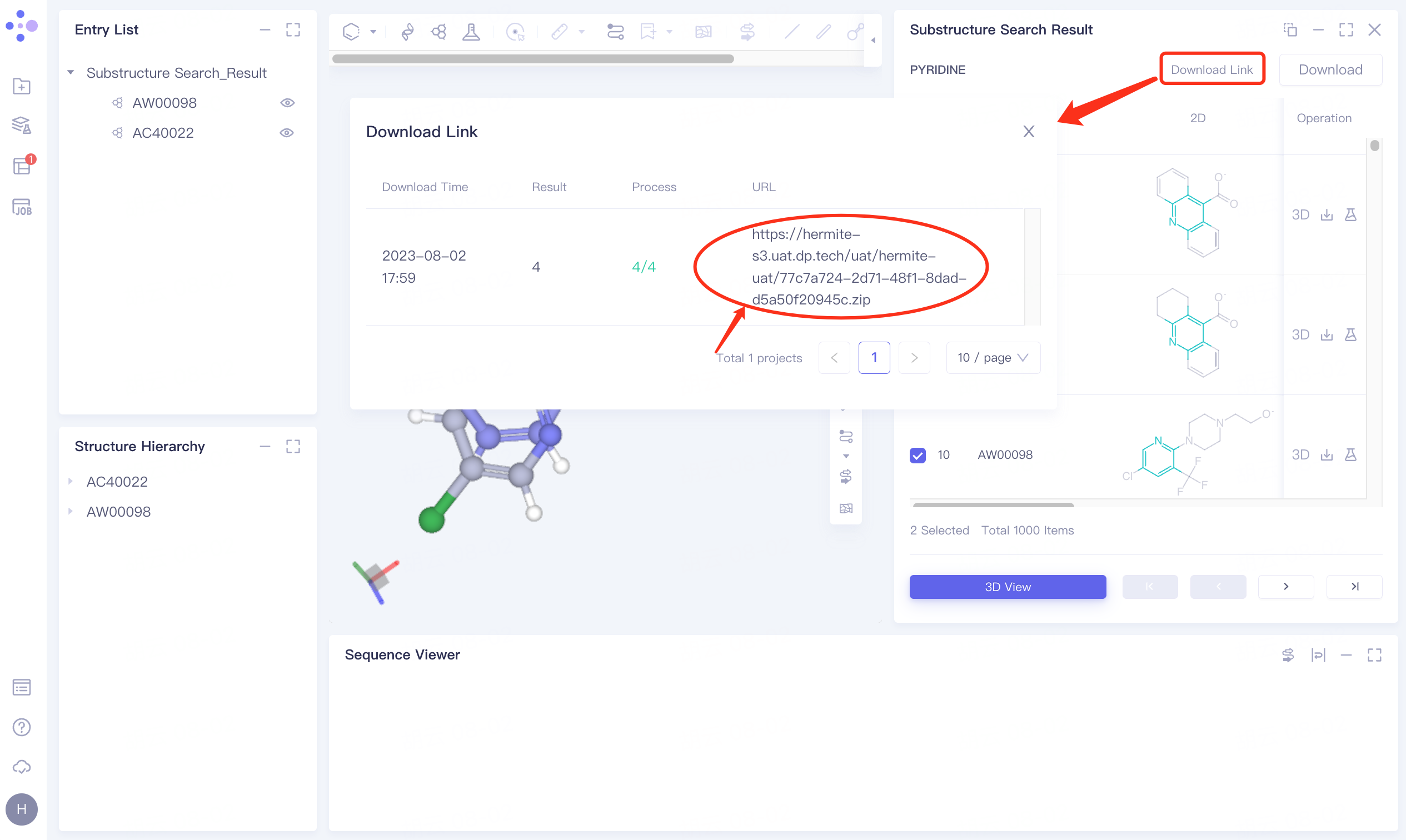
Click Download Link → pop-up Download Link interface → click the link under the URL to download the result data.
 |  |